
Quick answer: A gaming proxy can reduce lag, bypass regional restrictions, protect you from DDoS attacks, and enable multiple accounts—but only if you choose the right one.
With over 6.4 million people tuning in to the 2023 League of Legends World Finals, online gaming has never been more competitive or more popular. But unlike offline games, online gaming lives and dies by your internet connection. If you’ve ever tried to clutch a round in CS2 with 300ms ping, you know exactly how frustrating lag can be.
While a poorly configured proxy might slow you down, a properly optimized gaming proxy can actually reduce your ping, stabilize your connection, and open up a world of gaming possibilities. Here’s everything you need to know.
Can a Proxy Really Improve Your Gaming Experience?
Yes—but it depends on the proxy.
A generic proxy might add latency, but a gaming-optimized proxy solves specific problems:
| Problem | How a Gaming Proxy Helps |
|---|---|
| High ping / lag | Optimizes data routing for faster paths to game servers |
| Geo-restrictions | Masks your location to access region-locked games |
| DDoS attacks | Hides your real IP so attackers can’t target you |
| Multiple accounts | Provides unique IPs per account to avoid bans |
| ISP throttling | Bypasses bandwidth limits during peak hours |
| Doxxing protection | Keeps your personal IP and location private |
Let’s dive deep into each of these scenarios.
How Gaming Proxies Reduce Ping and Improve Speed
At first glance, adding an extra step between you and the game server should increase latency. So how can a proxy possibly reduce ping?
The Secret: Route Optimization
When you connect directly to a game server, your data travels through whatever path your ISP provides. That path might be:
- Inefficient (taking longer routes than necessary)
- Congested (too many users sharing the same infrastructure)
- Outdated (old hardware slowing everything down)
A premium gaming proxy sits at a strategically located data center, often closer to the game server than your home connection. Your data takes a shorter, faster path:
Without Proxy: Your device → ISP network → multiple congested hops → game server (long, slow route)
With Optimized Proxy: Your device → gaming proxy (fast data center) → game server (direct, short route)
This is especially effective when:
- Your ISP has poor international routing
- You’re connecting to servers in other countries
- You experience packet loss during peak hours
Real-World Example
Imagine you’re in Malaysia trying to connect to a game server in Singapore. Your ISP might route your traffic through multiple countries before reaching Singapore. A Singapore-based gaming proxy lets your data travel: Malaysia → Singapore proxy (direct) → Singapore game server—cutting the route in half.
ISP Throttling: The Hidden Lag Spike
Some ISPs intentionally slow down certain types of traffic—especially during peak hours or for bandwidth-heavy activities like gaming. A gaming proxy encrypts and reroutes your traffic, making it harder for ISPs to identify and throttle gaming packets.
Choosing the Right Gaming Proxy: 3 Critical Factors
Not all proxies are created equal. Here’s what matters most:
1. Proxy Type
| Proxy Type | Speed | Anonymity | Best For |
|---|---|---|---|
| Datacenter Proxy | ⚡ Fastest | Low | Reducing ping, competitive gaming |
| Residential Proxy | ⚡ Fast (if well-optimized) | High | Multiple accounts, geo-unblocking, privacy |
| ISP Proxy | ⚡ Fast | Medium | Hybrid of speed and legitimacy |
Datacenter proxies are ideal for pure speed. They’re hosted in professional data centers with high-bandwidth connections and direct routes to major gaming servers.
Residential proxies come from real ISPs and real homes. They’re harder to detect and better for:
- Managing multiple game accounts
- Bypassing strict geo-blocks
- Avoiding IP bans
2. Server Location
Proximity matters. Always choose a proxy server as close as possible to:
- Your physical location (for minimal initial latency)
- The game server (for optimized routing)
Many proxy providers offer location filtering—use it.
3. Proxy Protocol
| Protocol | Speed | Use Case |
|---|---|---|
| SOCKS5 | ⚡ Fastest | Most online games, UDP support, low overhead |
| HTTP/HTTPS | ⚡ Fast | Browser-based games, web gaming platforms |
| WireGuard/OpenVPN | ⚡ Fast | Full-device VPN-style protection |
SOCKS5 is the gold standard for gaming. It supports UDP (essential for fast-paced games), has minimal overhead, and works with almost any game.
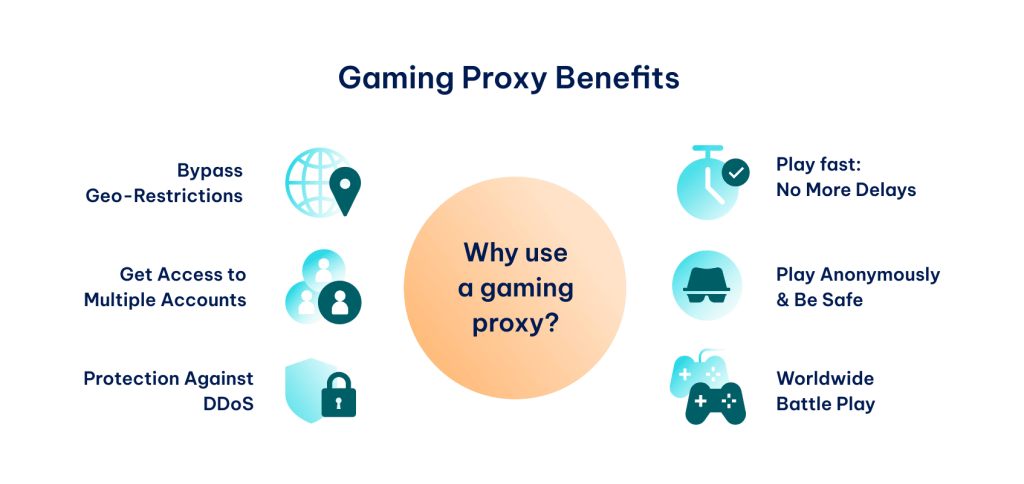
4 Powerful Ways Gaming Proxies Level Up Your Experience
Beyond speed, gaming proxies unlock capabilities that serious players rely on:
1. Multiple Game Accounts
MMORPGs like World of Warcraft, RuneScape, or Albion Online often limit players to one account per IP. But what if you want:
- Multiple characters with different classes?
- Alt accounts for crafting or trading?
- Accounts in different guilds?
Using dedicated residential proxies, you can assign unique IPs to each account. The game sees them as separate players, and you avoid the dreaded “multiple account ban.”
2. Bypass Geo-Restrictions
Remember when Solo Leveling: Arise launched in Canada on March 21, 2024—but the rest of the world had to wait until May 8?
Players who knew about Canadian proxies enjoyed the game nearly two months early.
Whether it’s early access, region-locked betas, or games censored in your country, a gaming proxy lets you play from anywhere. Just connect to a proxy in the target region, and the game server thinks you’re a local player.
3. DDoS Protection
DDoS attacks are unfortunately common in competitive gaming. A disgruntled opponent can target your IP address with a flood of junk traffic, disconnecting you from the match and costing you the win.
How a gaming proxy stops DDoS:
- Your real IP stays hidden
- Attackers only see the proxy’s IP
- Even if the proxy is overwhelmed, you can switch to another
- Your home connection remains untouched
For streamers and high-rank players, this protection is invaluable.
4. Doxxing Prevention
Doxxing—the malicious release of personal information—starts with finding a target’s IP address. From there, attackers can approximate location, uncover identity, and launch harassment campaigns.
A gaming proxy keeps your real IP invisible. Even if someone captures your gaming session’s IP, they only get the proxy’s address, not yours.
3 Non-Proxy Tips to Slash Your Ping
Sometimes the best solution isn’t a proxy—it’s fixing the basics first.
✅ 1. Optimize Your Network Setup
- Go wired: Ethernet beats Wi-Fi every time. If you must use Wi-Fi, ensure you’re on 5GHz, not 2.4GHz.
- Close bandwidth hogs: Press
Ctrl + Shift + Escin Windows, check the “Network” column, and close anything consuming high Mbps. - Pause updates: Windows, Steam, and other platforms love downloading at the worst moments.
✅ 2. Upgrade Your Hardware
If your router is more than 3-4 years old, it might be bottlenecking your connection. Look for:
- Gaming routers with QoS (Quality of Service) features
- Routers that prioritize gaming traffic
- Models with strong processors and adequate RAM
✅ 3. Check Your Internet Plan
- Are you on fiber optic? If cable or DSL is available, fiber offers lower latency and higher upload speeds.
- Do you have enough bandwidth? 100 Mbps is fine for a single gamer, but households with multiple streamers may need 500 Mbps or 1 Gbps.
- Is your plan throttled? Some ISPs slow gaming traffic during peak hours.
Gaming Proxy vs. Gaming VPN: What’s the Difference?
| Feature | Gaming Proxy | Gaming VPN |
|---|---|---|
| Speed | Faster (less overhead) | Slightly slower (encryption overhead) |
| Encryption | Minimal (SOCKS5) | Full encryption |
| Configuration | Per-application | Usually system-wide |
| UDP Support | Yes (SOCKS5) | Yes |
| Best For | Low ping, multiple accounts | Privacy, entire device protection |
Choose a proxy if your priority is speed and you only need to route gaming traffic.
Choose a VPN if you want to encrypt all your traffic and don’t mind a small speed trade-off.
Common Gaming Proxy Mistakes to Avoid
❌ Using Free Proxies
Free proxies are slow, overcrowded, and often sell your data. They’re also frequently blacklisted by game servers.
❌ Choosing the Wrong Location
A proxy in Europe won’t help you connect to Asian servers. Match proxy location to game server location.
❌ Ignoring Protocol Support
If your game uses UDP (most modern games do), make sure your proxy supports SOCKS5 or UDP forwarding.
❌ Overlooking ISP Proxies
For the best of both worlds—speed and legitimacy—ISP proxies combine residential IPs with data center infrastructure.
How to Set Up a Gaming Proxy: Quick Guide
Step 1: Choose a Provider
Look for:
- Low-latency servers near you and game servers
- SOCKS5 support
- Residential or ISP options for account management
- Positive reviews from gamers
Step 2: Select Server Location
Pick a proxy server close to:
- Your physical location (for minimal base latency)
- The game server (for optimized routing)
Step 3: Configure Your Game or Device
Per-game setup (recommended):
- Use game settings or launcher options to specify proxy
- Or use a proxy management tool to route only game traffic
System-wide setup:
- Configure proxy in Windows/macOS network settings
- Be aware this routes all traffic through the proxy
Step 4: Test Your Ping
Use ping tests or in-game network stats to compare:
- Direct connection vs. proxy connection
- Different proxy locations
- Different proxy types
Frequently Asked Questions
Q: Will a proxy reduce my ping?
A: Yes, if you choose a proxy with optimized routing and a location close to the game server. Test different options.
Q: Are gaming proxies legal?
A: Yes, using proxies is legal. However, violating a game’s terms of service (like using them to bypass bans) can get your account suspended.
Q: Can I get banned for using a proxy?
A: If you use a proxy to cheat, evade bans, or break rules—yes. For legitimate uses like reducing ping or protecting privacy, bans are rare.
Q: What’s the best proxy protocol for gaming?
A: SOCKS5. It’s fast, supports UDP, and works with most games.
Q: Do I need a proxy if I already have good internet?
A: Maybe. Good local internet doesn’t guarantee good routing to distant game servers. A proxy can fix international routing issues.
Q: Can I use a free proxy for gaming?
A: We don’t recommend it. Free proxies are slow, unreliable, and often malicious.
Q: What’s the difference between datacenter and residential proxies for gaming?
A: Datacenter proxies are faster but easier to detect. Residential proxies are harder to detect and better for multiple accounts or strict geo-blocks.
The Bottom Line
A gaming proxy isn’t magic—but in the right situations, it can transform your online gaming experience.
Use a gaming proxy when you need to:
- Reduce ping through optimized routing
- Bypass ISP throttling
- Access region-locked games early
- Protect yourself from DDoS and doxxing
- Manage multiple game accounts safely
Choose your proxy type wisely:
- Datacenter proxies for pure speed and competitive play
- Residential proxies for anonymity, multiple accounts, and geo-unblocking
- SOCKS5 protocol for maximum compatibility and performance
With the right setup, you’ll spend less time staring at lag spikes and more time dominating the leaderboard.